


Businesses often rely on multiple software systems to manage finance, sales, inventory, customer relationships, and daily operations. However, when these systems operate independently, teams face disconnected data, repetitive tasks, and delays in decision-making. ERP integration connects these applications, allowing information and workflows to move across the organisation more efficiently. Understanding how it works, its benefits, and implementation methods can help businesses build a more connected and scalable technology ecosystem.
What Is ERP Integration?
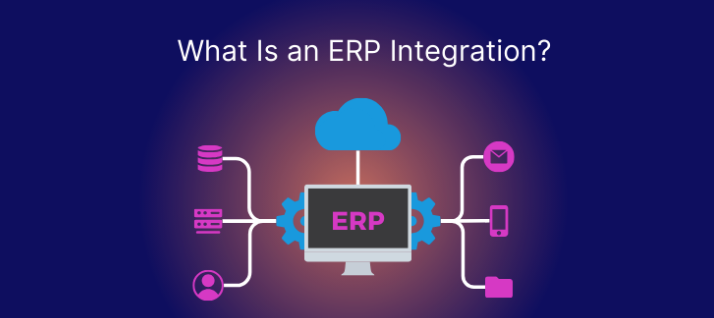
ERP integration is the process of connecting an Enterprise Resource Planning (ERP) system with other business applications so they can exchange information and coordinate workflows. It allows departments to access consistent data without repeatedly entering the same information across different platforms.
The ERP integration meaning goes beyond connecting software. It involves creating a unified flow of information between business functions, helping teams reduce manual work, improve accuracy, and make informed decisions.
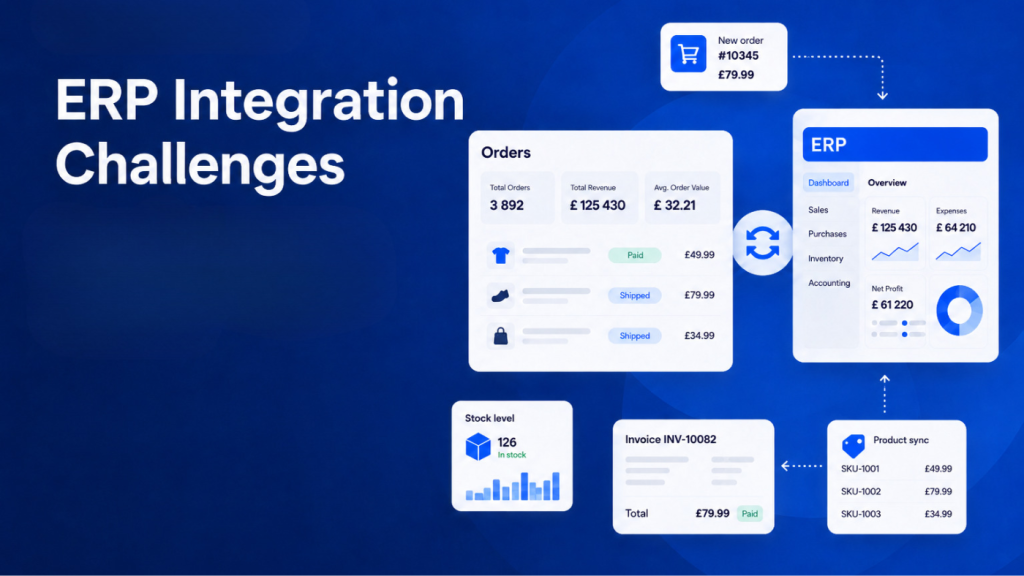
For example, when a customer places an order through an e-commerce platform, the integrated ERP can update inventory, record the transaction, and notify the fulfilment team.
What Is an ERP System?
An ERP system is business management software that brings essential organisational functions together within a centralised platform. It typically includes modules for finance, procurement, inventory, manufacturing, human resources, and supply chain management.
Popular ERP platforms include SAP S/4HANA, Oracle NetSuite, Microsoft Dynamics 365, and Odoo. While these systems manage core business operations, organisations often need additional specialised applications. This is where ERP software integration becomes valuable.
What Does ERP Integration Connect?
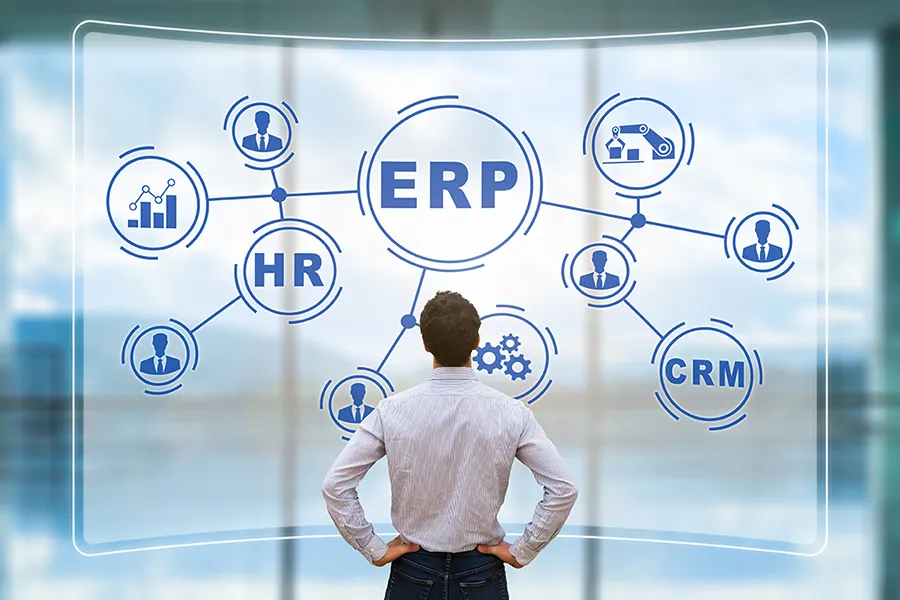
ERP systems can connect with several applications depending on business requirements.
- Customer Relationship Management (CRM): Shares customer information, sales activities, and order history.
- E-commerce platforms: Synchronise orders, inventory, product information, and payments.
- Human Resource Management Systems (HRMS): Connects employee records, attendance, and payroll information.
- Warehouse Management Systems (WMS): Share stock levels, picking details, and shipment information.
- Payment gateways: Transfer transaction details and payment statuses.
- Business Intelligence (BI) tools: Combine operational data for reporting and analysis.
These connections help organisations establish consistent information flows across departments.
How Does ERP Integration Work?
Understanding how ERP integration works starts with identifying how different applications exchange information. The integration connects systems through APIs, middleware, pre-built connectors, or file-based transfers.
A typical ERP integration process involves:
- Data exchange: One application sends information, such as an order, customer record, or payment update.
- Data mapping: The integration layer matches information fields between systems and converts formats where necessary.
- Data validation: The receiving system checks whether the information meets its requirements.
- Workflow execution: The ERP triggers relevant actions, such as updating inventory or generating an invoice.
- Monitoring: Integration tools track transactions, identify errors, and support troubleshooting.
Depending on the business requirement, information may move in real time, through event-triggered updates, or at scheduled intervals.
Why Is ERP Integration Important for Businesses?
Disconnected applications create operational gaps. Employees may need to switch between platforms, manually transfer records, or verify information across departments.
Some important ERP integration benefits include:
- Reduced manual work: Automated data transfers minimise repetitive entry and administrative effort.
- Improved data accuracy: Consistent information across applications reduces discrepancies and duplication.
- Better operational visibility: Managers can access information from different business functions more easily.
- Faster decision-making: Updated information helps teams respond to operational changes.
- Improved customer experience: Connected sales, inventory, and fulfilment systems support more reliable service.
- Scalability: Businesses can connect additional applications as their operational requirements evolve.
Ultimately, ERP integration benefits extend beyond efficiency. They help businesses establish a connected technology environment that can support long-term growth. Common ERP Integration Use Cases
ERP integration can support different workflows across industries. Some common examples include:
ERP and CRM integration: Connecting CRM and ERP systems allows sales teams to access customer orders, payment history, and account information. Finance teams can also view relevant customer and transaction records without relying on separate updates.
ERP ecommerce integration: Connecting an online store with an ERP synchronises product details, inventory, orders, shipping information, and financial records. When a customer purchases a product, the relevant systems can automatically process the transaction and update stock availability.
ERP and HR integration: Employee information, attendance, payroll, and benefits data can move between HR platforms and ERP modules, reducing administrative work.
ERP and warehouse integration: Warehouse systems can exchange stock movements, order fulfilment details, and shipment updates with the ERP, improving inventory visibility.
ERP and payment integration: Payment gateways can share transaction statuses, refunds, and settlement information with finance modules, supporting more accurate reconciliation.
These use cases demonstrate how ERP software integration connects individual activities into coordinated business workflows.
How to Plan and Implement ERP Integration
A successful implementation begins with understanding existing systems and business requirements. The ERP integration process generally involves these steps:
- Identify integration requirements:
Determine which applications need to connect and what business problems the integration should solve.
- Evaluate existing systems:
Review software compatibility, APIs, data formats, security requirements, and technical limitations.
- Choose an integration approach:
Select suitable ERP integration solutions based on complexity, budget, and scalability.
- Map data and workflows:
Define how information will move between systems and which application will act as the primary data source.
- Develop and configure connections:
Set up APIs, connectors, middleware, or other integration components.
- Test the integration:
Validate data accuracy, workflow execution, error handling, and system performance.
- Deploy and monitor:
Roll out the integration, monitor transactions, and resolve issues as they arise.
A phased rollout can help minimise disruption, particularly when several departments and business-critical applications are involved.
ERP Integration Best Practices
Following established practices can make integrations more reliable and easier to maintain.
- Define clear data ownership and establish consistent data formats.
- Use secure authentication, encryption, and role-based access controls.
- Prioritise scalable APIs and reusable integration components.
- Include error logging, alerts, and recovery mechanisms.
- Test integrations under realistic workloads before deployment.
- Document data flows, dependencies, and system configurations.
- Review integrations regularly as applications and business requirements change.
Choosing the right ERP integration solutions also matters. Point-to-point connections may suit simpler requirements, while middleware and iPaaS platforms can help manage more complex integration environments.
Common ERP Integration Challenges
Despite its advantages, ERP integration can introduce technical and operational challenges.
Data compatibility: Different applications may use different formats, structures, and naming conventions. Data mapping and validation are essential to prevent inconsistencies.
Legacy systems: Older applications may lack modern APIs or integration capabilities, requiring additional development or middleware.
Security risks: Connecting multiple applications increases the need for controlled access, encryption, and continuous monitoring.
Integration complexity: Multiple connections can create dependencies that become difficult to troubleshoot and maintain.
Business disruption: Poorly planned migrations or deployments can interrupt essential workflows.
Addressing these challenges early through proper planning, testing, and technical documentation helps reduce implementation risks.
How to Measure ERP Integration Success
Businesses should evaluate integration performance using measurable operational indicators rather than simply checking whether applications are connected.
Important metrics include:
- Reduction in manual data entry and processing time.
- Frequency of data errors and duplicate records.
- Data synchronisation accuracy and latency.
- Workflow completion and transaction success rates.
- System availability and integration downtime.
- Reduction in order processing and fulfilment delays.
- Overall integration maintenance costs.
Regular reviews help identify bottlenecks and highlight opportunities to improve connected workflows.
Conclusion: Creating Connected Business Operations With ERP Integration
ERP integration helps businesses move beyond disconnected applications and establish a coordinated digital ecosystem. By connecting essential systems, organisations can automate workflows, improve data accuracy, and gain better visibility into everyday operations.
However, successful integration requires more than selecting compatible software. Businesses must consider their existing infrastructure, data architecture, security requirements, and future technology needs. With the right integration strategy, ERP systems can become a stronger foundation for operational efficiency and sustainable digital growth.
At Leo9 Studio, we believe effective business operations start with connected technology. By combining thoughtful technology solutions, scalable system architecture, and well-planned ERP integrations, businesses can create a unified digital ecosystem where information flows seamlessly across departments. The goal isn’t simply to connect different applications, but to make them work together efficiently, reduce operational complexity, and build a technology foundation that supports long-term business growth.
Frequently Asked Questions About ERP Integration
ERP integration means connecting an ERP system with other business applications so they can share information automatically. For example, connecting an online store with an ERP allows order and inventory information to stay synchronised.
Common examples include ERP and CRM integration, ERP ecommerce integration, HR and payroll integration, warehouse management integration, and payment gateway integration. These connections help automate processes and share information across departments.
ERP integration connects business applications with an enterprise resource planning system to manage functions such as finance, inventory, procurement, and operations. CRM integration focuses on connecting customer relationship management software with other applications to share customer, sales, and service information.
ERP and CRM integration specifically connects these two systems, allowing sales teams to access relevant operational information while finance and operations teams can view customer-related records.
The timeline depends on the number of applications, data complexity, customisation requirements, and integration methods. A simple connection between two systems may take a few weeks, while complex enterprise integrations involving multiple platforms and legacy infrastructure can take several months.
ERP integration costs vary based on software licensing, development requirements, integration tools, data migration, testing, and ongoing maintenance. Pre-built connectors may reduce initial development effort, while customised integrations generally require more technical resources. Businesses should evaluate both implementation costs and long-term maintenance expenses before selecting a solution.