


A digital product can look polished and still feel difficult to use. The difference often comes down to what happens when users actually interact with it. Do buttons behave as expected? Does navigation feel natural? Does the interface respond clearly to an action?
This is where interaction design becomes important. It focuses on creating meaningful, intuitive interactions between people and digital products. From tapping a button on a mobile app to completing a checkout on an e-commerce website, every action is part of the experience.
Understanding what is interaction design helps businesses look beyond aesthetics and think about how users move through a product, make decisions, and complete tasks.
What Is Interaction Design?
Interaction design is the practice of designing how users interact with a digital product, system, or interface. It considers actions, responses, navigation, feedback, and the overall flow between a user and a product.
For example, when a user clicks “Add to Cart,” the product should provide an obvious response. The item may appear in the cart, a confirmation message may appear, or the cart count may change. These small details help users understand what happened.
So, what is interaction design in practical terms? It is about making digital interactions predictable, useful, and easy to understand while supporting both user needs and business goals.
Examples of Interaction Design
Common interaction design examples include:
- Swipe gestures in mobile applications
- Hover states on website buttons
- Search suggestions appearing as users type
- Progress indicators during checkout
- Drag-and-drop functionality
- Error messages that explain how to fix a problem
- Micro-interactions such as button animations or confirmation states
Good interaction design often becomes almost invisible because users can complete tasks without having to think about how the interface works.
Interaction Design in Human-Computer Interaction (HCI)
Interaction design is closely connected to Human-Computer Interaction (HCI), a field concerned with how people interact with computers and digital systems.
HCI provides the broader foundation for understanding human behaviour, cognition, accessibility, and usability. Interaction design applies these principles when creating the actual interactions within a product.
This makes interaction design in UX an important part of creating experiences that are not only functional but also intuitive and responsive to user behaviour.
Interaction Design vs UI Design
UI design focuses primarily on the visual interface, including typography, colours, layouts, icons, components, and visual hierarchy.
Interaction design focuses on what happens when users engage with those elements.
For example, UI design determines how a button looks, while interaction design considers what happens when the button is clicked, tapped, disabled, or hovered over. The two disciplines work together to create interfaces that look clear and behave predictably.
Interaction Design vs UX Design
UX design covers the broader user experience across a product or service. It can include research, information architecture, user journeys, usability, content, interaction patterns, and overall product experience.
Interaction design is more specifically concerned with how users and products communicate through actions and responses.
Therefore, interaction design in UX can be considered an important part of the larger UX discipline. Strong UX depends on interactions that support the user’s goals instead of creating friction.
The Five Dimensions of Interaction Design
The five dimensions provide a useful framework for understanding interaction design:
- Words: Labels, instructions, button text, error messages, and other language that guide users.
- Visual representations: Icons, typography, images, colours, and other visual elements users interact with.
- Physical objects and space: The devices, screens, touchpoints, and physical environments where interactions occur.
- Time: Motion, animation, transitions, sound, and changes that happen over a period of time.
- Behaviour: How the previous four dimensions work together and how users respond to the product.
Considering all five dimensions helps designers create interactions that feel coherent rather than treating individual interface elements in isolation.
Key Interaction Design Principles
Effective interaction design principles focus on reducing confusion and helping users understand what they can do.
Key principles include:
- Consistency: Similar actions should work in similar ways throughout a product.
- Visibility: Important actions and system states should be easy to identify.
- Feedback: Users should receive a clear response after performing an action.
- Affordance: Elements should communicate how they can be used.
- Error prevention: Interfaces should reduce the likelihood of mistakes wherever possible.
- User control: Users should be able to navigate, undo, cancel, or change actions when appropriate.
- Accessibility: Interactions should accommodate users with different abilities and circumstances.
At Leo9 Studio, interaction design is approached through user research, behavioural understanding, prototyping, and testing rather than treating design as a purely visual exercise. The studio describes its approach as combining human behaviour, neuromarketing, and data-driven design to create experiences where logic and intuition work together.
How to Implement the Interaction Design Process
A structured interaction design process helps teams move from assumptions to validated experiences.
- Understand Users and Goals
The process starts by understanding who the users are, what they need, what problems they face, and what the business wants to achieve. User research can reveal pain points and behaviours that may not be obvious from assumptions alone.
- Define User Interactions
Next, designers identify the key actions users need to perform. This could include signing up, searching, comparing products, making payments, or managing an account.
- Create Interaction Flows
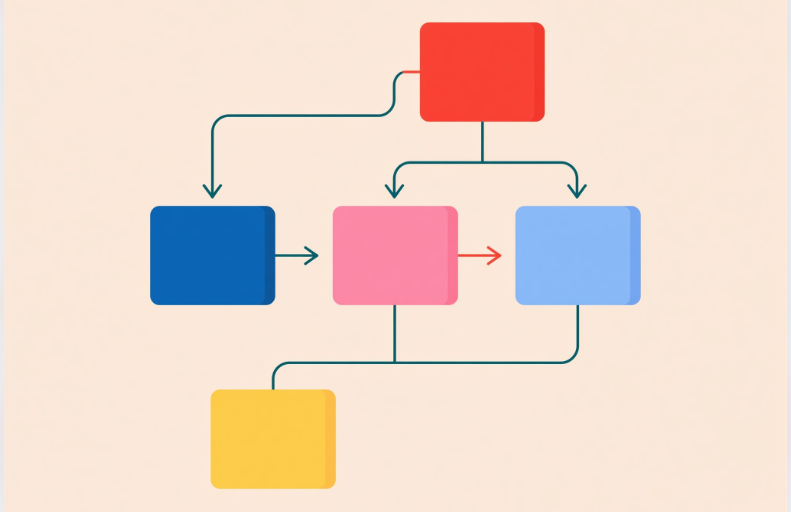
These actions are organised into logical flows. Designers map what happens before, during, and after each interaction, including possible errors and alternative paths.
- Prototype Interactions
Prototypes allow teams to experience the proposed interaction before development begins. They can range from simple wireframes to detailed interactive prototypes.
- Test and Refine
Testing reveals where users hesitate, misunderstand an action, or encounter friction. The design can then be refined and tested again.
This iterative interaction design process helps teams validate ideas before investing heavily in development. Leo9 similarly places prototyping and behavioural testing within its design workflow, using prototypes as a way to understand how users will interact with a product.
What Skills Does an Interaction Designer Need?
An interaction designer needs a combination of research, design, analytical, and communication skills. These include user research, information architecture, wireframing, prototyping, usability testing, visual thinking, and an understanding of human behaviour.
They also need to collaborate effectively with UX designers, UI designers, developers, product teams, and business stakeholders. Understanding technical constraints is particularly useful because an interaction must work in the real product, not just in a prototype.
Common Interaction Design Challenges
Some common challenges include designing for different devices, maintaining consistency across complex products, handling edge cases, preventing user errors, and balancing business requirements with user needs.
Another challenge is knowing when an interaction is genuinely useful versus when it simply adds visual movement. Animation, gestures, and micro-interactions should have a purpose. If they slow users down or make tasks harder to understand, they can become friction rather than enhancement.
FAQs About Interaction Design
Interaction design is the process of designing how people interact with a product and how that product responds to their actions.
UX design covers the broader experience of using a product, while interaction design focuses specifically on actions, responses, behaviours, and interaction flows.
UI design focuses on the visual interface, while interaction design focuses on how interface elements behave and respond to users.
The five dimensions are words, visual representations, physical objects and space, time, and behaviour.
Important interaction design principles include consistency, visibility, feedback, affordance, error prevention, user control, and accessibility.
An interaction designer studies user needs and designs flows, behaviours, responses, and prototypes that make digital products easier and more intuitive to use.
Ultimately, effective interaction design is not about adding more features or visual effects. It is about understanding people and designing every interaction with purpose. When research, behavioural insights, technology, and design work together, digital products can become easier to use and more effective for both users and businesses.